> ## Documentation Index
> Fetch the complete documentation index at: https://docs.eclipseproxy.com/llms.txt
> Use this file to discover all available pages before exploring further.
# Proxy Formatter
> Free tool to convert proxies between formats: auto-detects input, outputs whatever your tool needs
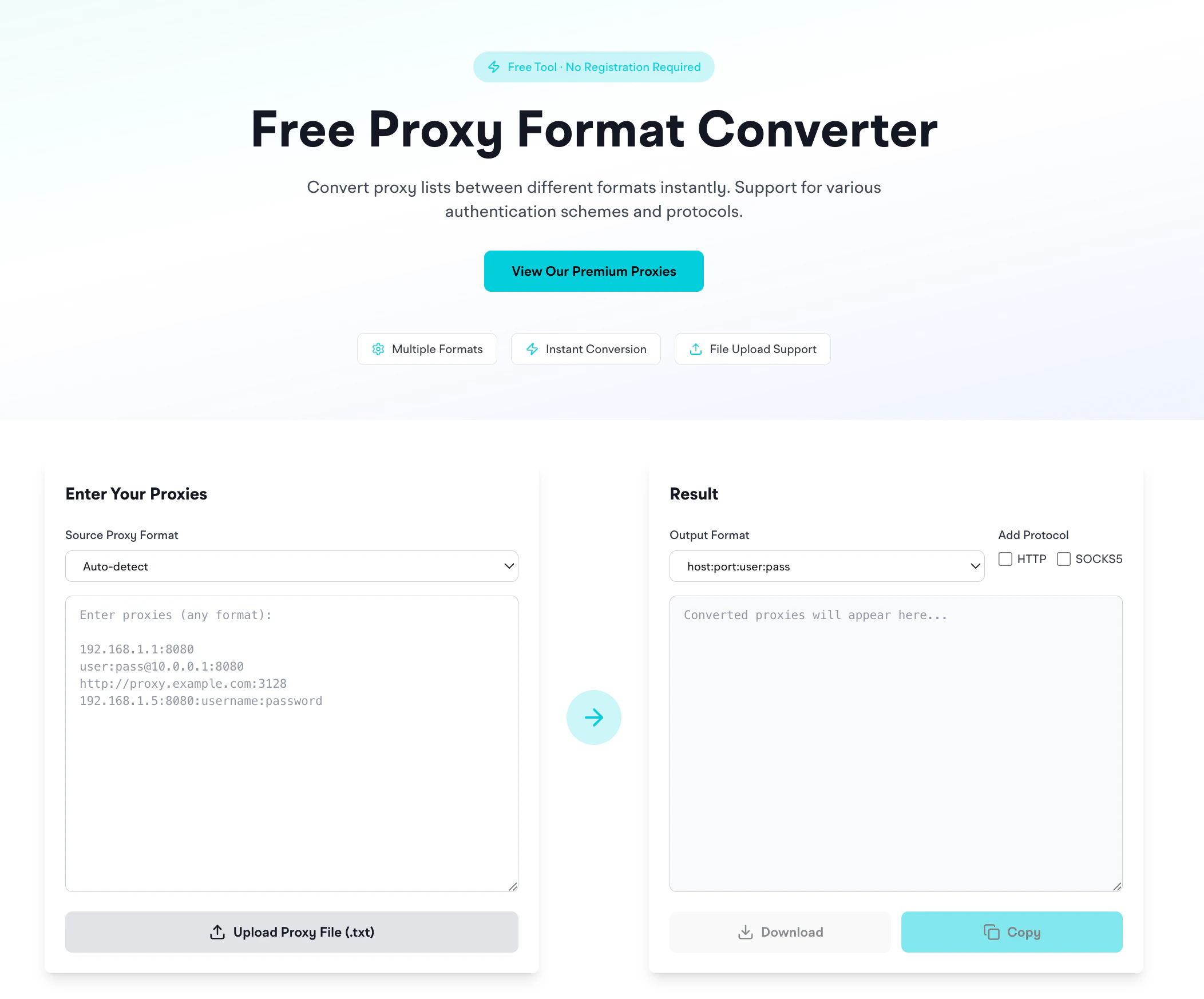
The **[Proxy Formatter](https://www.eclipseproxy.com/tools/proxy-formatter)** converts proxies between common formats. Free, no signup required.
[https://www.eclipseproxy.com/tools/proxy-formatter](https://www.eclipseproxy.com/tools/proxy-formatter)
 ## What it does
1. Paste proxies in any format (or upload a `.txt` file)
2. Pick the output format
3. Optionally add a protocol prefix (`http://` or `socks5://`)
4. Get a converted list: copy or download as `.txt`
## Supported input formats (auto-detected)
```
192.168.1.1:8080
user:pass@10.0.0.1:8080
http://proxy.example.com:3128
192.168.1.5:8080:username:password
```
Multiple formats can be mixed in a single input. The formatter normalizes each line. Explicitly set the source format if auto-detection is incorrect.
## Output formats
| Format | Example |
| --------------------- | ---------------------------- |
| `host:port` | `192.168.1.1:8080` |
| `host:port:user:pass` | `192.168.1.1:8080:user:pass` |
| `user:pass@host:port` | `user:pass@192.168.1.1:8080` |
| `user:pass:host:port` | `user:pass:192.168.1.1:8080` |
Use the protocol checkboxes to add `http://` or `socks5://` prefixes for tools that require URL format.
## Which format does each tool want?
| Tool | Preferred format |
| ---------------------------------------------- | ---------------------------------- |
| Anti-detect browsers (Dolphin, AdsPower, Octo) | `host:port:user:pass` |
| cURL, Python requests, Node axios | `http://user:pass@host:port` |
| Proxifier (Mac/Windows) | `host:port` + separate auth fields |
| Browser extensions (FoxyProxy, SwitchyOmega) | `host:port` + separate auth fields |
| Selenium-wire | `http://user:pass@host:port` |
| Scrapy | `http://user:pass@host:port` |
The `user:pass@host:port` format is widely compatible across tools.
## Bulk conversion
Upload a `.txt` file of proxies and the formatter handles it in one pass. Download the converted file with the **Download** button.
## Privacy
The formatter runs entirely in your browser: proxies you paste don't hit our servers. Safe to paste credentials.
## Related
* [Proxy format strings reference](/setup/generating): the full format breakdown for each EclipseProxy product
* [Proxy Checker](/tools/proxy-checker): once formatted, test that the proxies work
* [IP Geolocation](/tools/ip-geolocation): look up the geographic info of a proxy IP
## What it does
1. Paste proxies in any format (or upload a `.txt` file)
2. Pick the output format
3. Optionally add a protocol prefix (`http://` or `socks5://`)
4. Get a converted list: copy or download as `.txt`
## Supported input formats (auto-detected)
```
192.168.1.1:8080
user:pass@10.0.0.1:8080
http://proxy.example.com:3128
192.168.1.5:8080:username:password
```
Multiple formats can be mixed in a single input. The formatter normalizes each line. Explicitly set the source format if auto-detection is incorrect.
## Output formats
| Format | Example |
| --------------------- | ---------------------------- |
| `host:port` | `192.168.1.1:8080` |
| `host:port:user:pass` | `192.168.1.1:8080:user:pass` |
| `user:pass@host:port` | `user:pass@192.168.1.1:8080` |
| `user:pass:host:port` | `user:pass:192.168.1.1:8080` |
Use the protocol checkboxes to add `http://` or `socks5://` prefixes for tools that require URL format.
## Which format does each tool want?
| Tool | Preferred format |
| ---------------------------------------------- | ---------------------------------- |
| Anti-detect browsers (Dolphin, AdsPower, Octo) | `host:port:user:pass` |
| cURL, Python requests, Node axios | `http://user:pass@host:port` |
| Proxifier (Mac/Windows) | `host:port` + separate auth fields |
| Browser extensions (FoxyProxy, SwitchyOmega) | `host:port` + separate auth fields |
| Selenium-wire | `http://user:pass@host:port` |
| Scrapy | `http://user:pass@host:port` |
The `user:pass@host:port` format is widely compatible across tools.
## Bulk conversion
Upload a `.txt` file of proxies and the formatter handles it in one pass. Download the converted file with the **Download** button.
## Privacy
The formatter runs entirely in your browser: proxies you paste don't hit our servers. Safe to paste credentials.
## Related
* [Proxy format strings reference](/setup/generating): the full format breakdown for each EclipseProxy product
* [Proxy Checker](/tools/proxy-checker): once formatted, test that the proxies work
* [IP Geolocation](/tools/ip-geolocation): look up the geographic info of a proxy IP