

Open the Proxy Checker
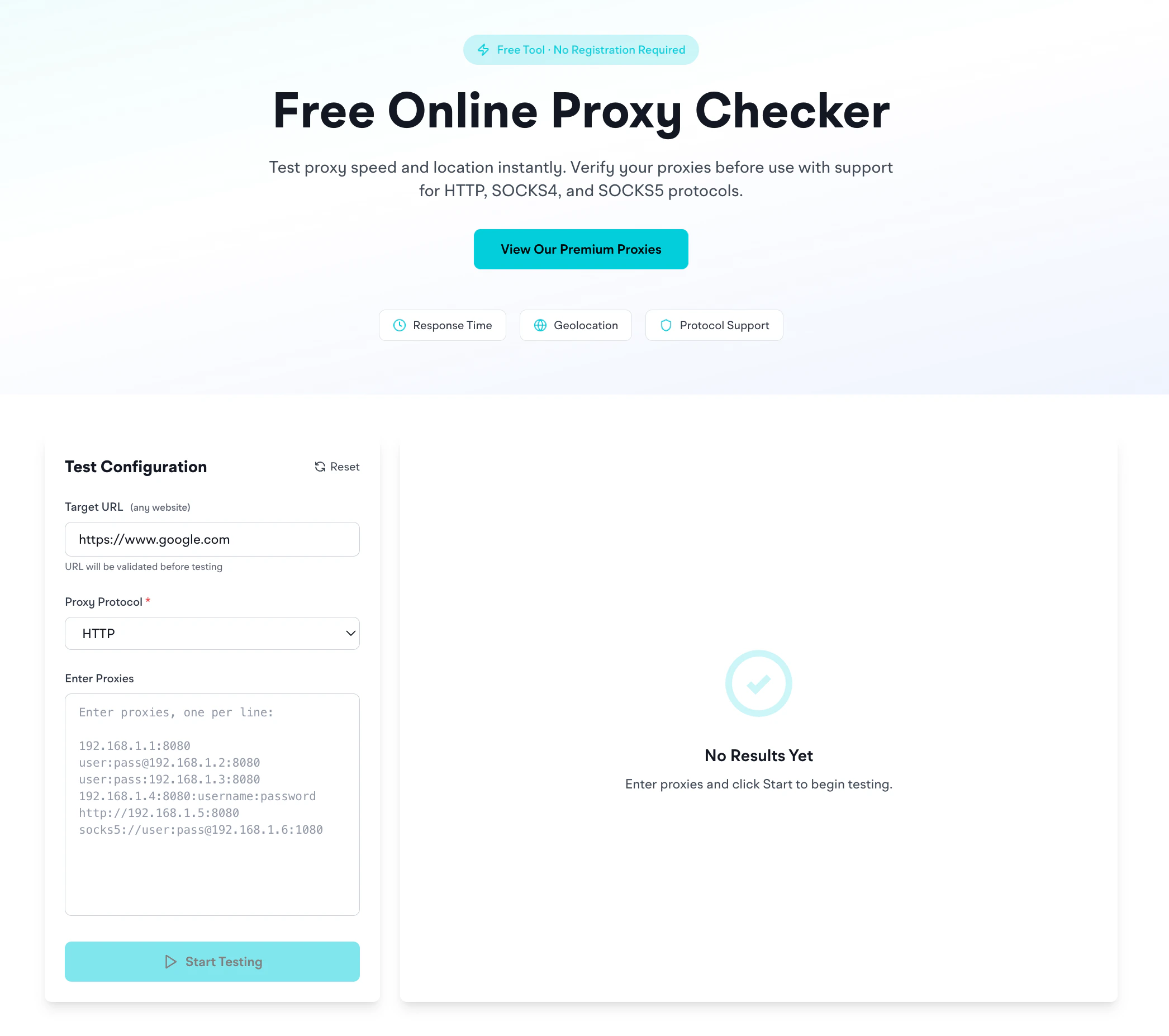
What it does
- You paste in one or more proxies (any format: see below)
- You pick a target URL (any website)
- You pick a protocol (HTTP or SOCKS5)
- It connects through each proxy to the target and reports success or failure
- Verify EclipseProxy proxies reach your target
- Validate proxies from any provider before deployment
- Diagnose connectivity issues
- Filter proxy lists to identify working connections for specific targets
Supported proxy formats
The checker auto-detects most common formats:Choosing a target URL
https://www.google.com: default; tests basic reachabilityhttps://api.ipify.org: returns the proxy’s exit IP, good for verifying geo-routinghttps://ipinfo.io: returns full geolocation info as JSON- Your actual target: best test. If you’re scraping
example.com, check againstexample.com.
How to read results
- Success = proxy connected to the target and got an HTTP response
- Failure = connection refused, timeout, auth error, or target returned an error code
- Slow = the proxy worked but took longer than normal (useful to spot degraded IPs)
Common reasons proxies fail this test
- Wrong protocol: using HTTP credentials on a SOCKS5 endpoint or vice versa. Switch the dropdown. See HTTP vs SOCKS5.
- Expired credentials: the proxy account ran out of bandwidth or the proxy password was reset
- Restricted destination: target is on EclipseProxy’s restricted list. See Restricted destinations.
Privacy
Credentials are processed through our backend only for the duration of the test and are not stored. As with all proxy tools, avoid pasting production credentials into untrusted checkers.Related
- Proxy Formatter: convert proxies between formats before testing
- IP Geolocation: once a proxy passes the checker, look up where its IP is located
- Common errors: what each failure message means